







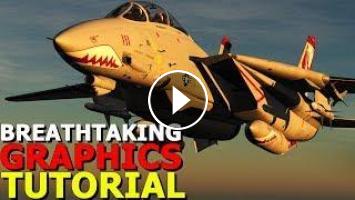
I am constantly asked in the comments section, on my discord and on Patreon about how I get DCS: World to look so good compared to the commentor, discord member or Patron's copy of DCS on their own PC. In this video I hope to address that and make sure you are never disappointed by DCS: World's graphics ever again!
A few things to keep in mind are flying at 12:00 Noon in June in DCS can make things look very flat and boring, always fly different times of day and with differing weather settings to add some shadows and thus relief to the map you are flying over!
This video and the settings mentioned will apply to any PC and any user whether you have a cutting edge PC or your system is getting a little older. So don't be afraid to try all of the tips I mention in this video!
►►System Specs:
GPU: GeForce RTX 2080 Ti
CPU: Intel(R) Core(TM) i7-7700K CPU @ 4.20GHz
Memory: 32 GB RAM
Current resolution: 2560 x 1080, 144Hz
►►Here is a link to my Patreon Page every bit of support helps make awesome DCS videos
and missions possible! https://www.patreon.com/Spudknocker
►►If you want to contact me with feedback on videos or want to collaborate feel free to join my personal discord here: https://discord.gg/kADuSzS\
►►And if you do donate to my Patreon make sure to link your discord account for your Roles in my Discord server.
A few things to keep in mind are flying at 12:00 Noon in June in DCS can make things look very flat and boring, always fly different times of day and with differing weather settings to add some shadows and thus relief to the map you are flying over!
This video and the settings mentioned will apply to any PC and any user whether you have a cutting edge PC or your system is getting a little older. So don't be afraid to try all of the tips I mention in this video!
►►System Specs:
GPU: GeForce RTX 2080 Ti
CPU: Intel(R) Core(TM) i7-7700K CPU @ 4.20GHz
Memory: 32 GB RAM
Current resolution: 2560 x 1080, 144Hz
►►Here is a link to my Patreon Page every bit of support helps make awesome DCS videos
and missions possible! https://www.patreon.com/Spudknocker
►►If you want to contact me with feedback on videos or want to collaborate feel free to join my personal discord here: https://discord.gg/kADuSzS\
►►And if you do donate to my Patreon make sure to link your discord account for your Roles in my Discord server.
Post your comment
Up Next
Autoplay
-
16:09

DCS World SU-25T Engine Start Up Guide And Ground Attack Tutorial By Attila16
-
31:49
DCS World / Su-25T Tutorial Part 4 Of 10
-
41:58
Impractical Carrier Landings Tutorial | DCS WORLD
-
21:14
DCS World / Su-25T Tutorial Part 1 Of 10
-
13:27
DCS World A-10C Warthog Aircraft Start-Up Tutorial By Attila16
-
04:57

Mapa Brasileiro Para Euro Truck Simulator 2 - Versão 1.1.1
-
05:27

Funny Videos | Epic Fail Compilation 2014 | Funny Pranks Epic Fails 2014 Funny Fails Of The Week
-
01:08

تحميل برنامج حديقة الحروف والكلمات لتعليم الأطفال
-
06:05

Descargar Pokémon Oro Randomlocke ESPAÑOL Y TUTORIAL
-
03:57

Elodie Siby-Miroir aux alouettes (clip officiel)
 Loading...
Comments